Car expenses
From fuel to repairs — everything in one place.
- Fuel, insurance,
repairs and leasing - Mileage, fuel consumption and
fuel cost per kilometre - Expense history and
monthly comparisons
Everyday finances. More clarity.
Expenses, documents and everyday plans — on your phone and on your wrist.Your car, your home and everyday life.
All in one app.
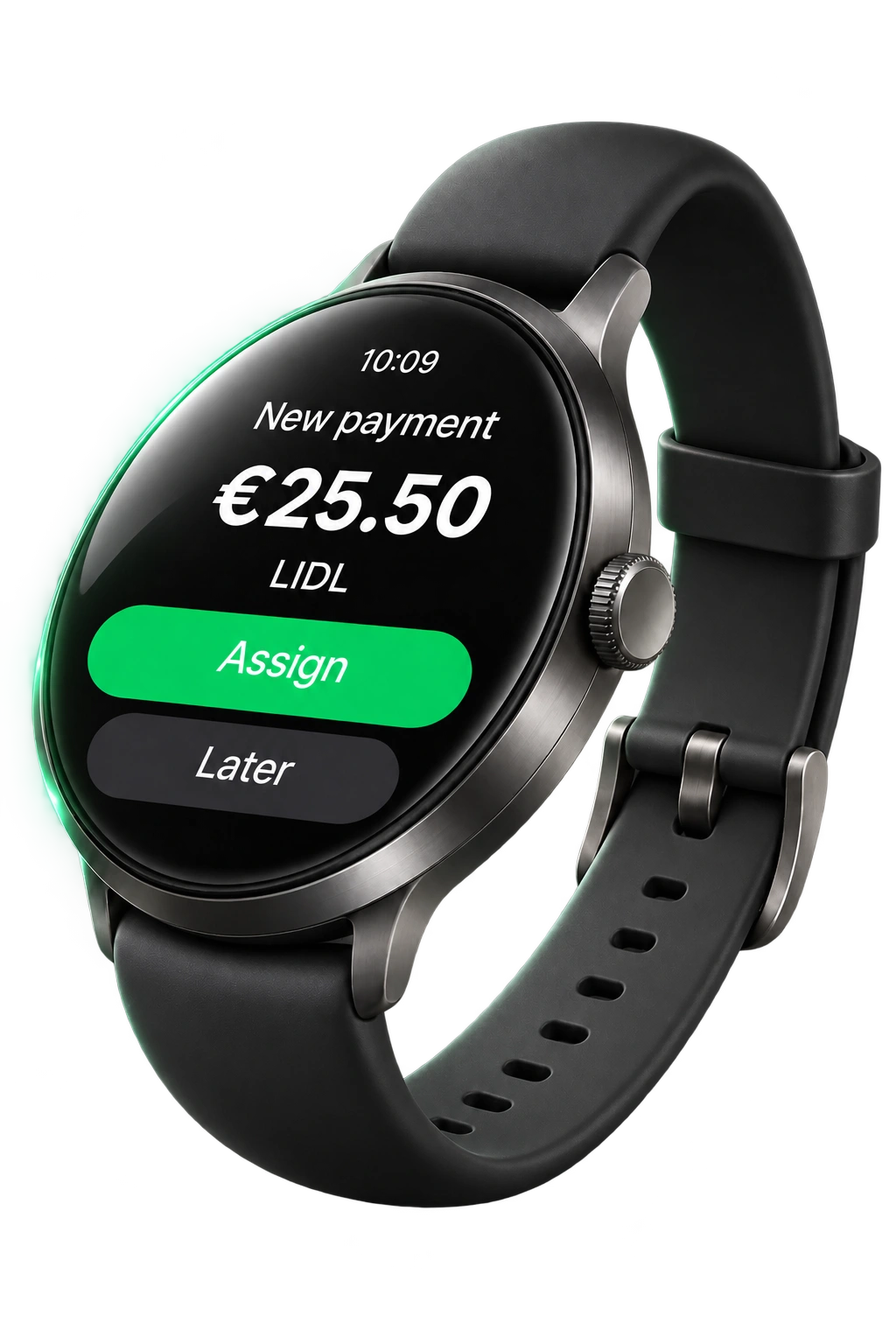
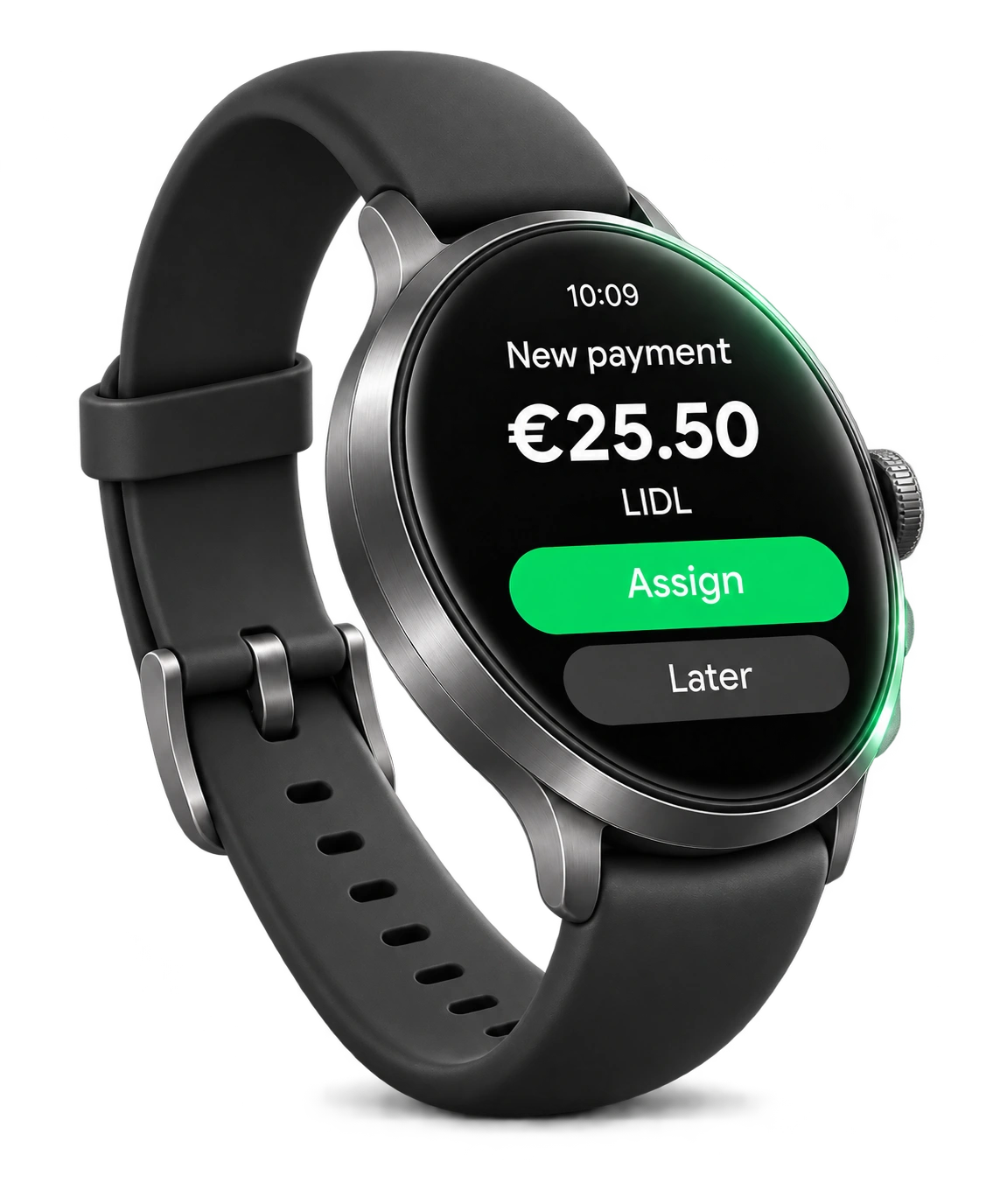
Google Wallet + SpendOutline
The amount recognised in a Google Wallet payment notification received on your phone appears on your watch.
More than a total
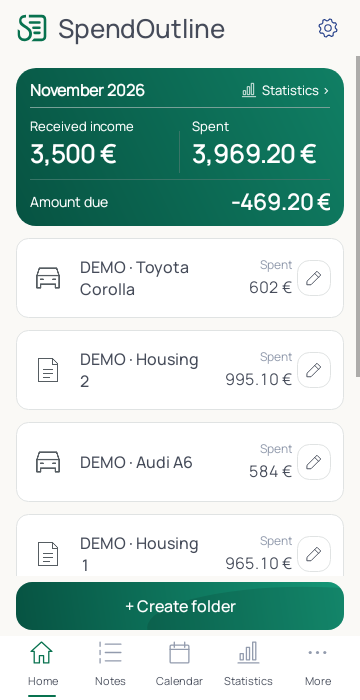
Detailed expenses. Clear comparisons. More control.
From fuel to repairs — everything in one place.
See what makes up your household bills.
SpendOutline on your wrist
The recognised amount is ready for you.
You decide where it belongs.
With your permission, SpendOutline recognises the amount in a supported payment notification on your phone.
Review the amount and choose a folder and category on your paired Wear OS watch.
The confirmed entry is saved on your phone and included in your expense records.
SpendOutline is an Android expense tracking app for car, home and everyday expenses. It brings expense folders, documents, reminders and statistics together. The Wear OS app is used with a paired Android phone.
The SpendOutline app offers 46 languages. This website is available in 7 languages: Lithuanian, English, German, Italian, French, Spanish and Polish. Changing the website language does not change the app language; choose it in the app settings.
Detection requires a payment notification in a supported format received on your phone with a visible amount, notification access granted and the source enabled. Paying with your watch alone does not send the amount to the app. If there is no suitable notification, you can enter the expense manually.
This feature requires a Wear OS watch paired with an Android phone. The final expense entry is stored on the phone; if the connection drops, an entry in the send queue waits for confirmation from the phone.
Yes. Separate folders let you group car, home and other expenses. Car tracking lets you record fuel and mileage, while home tracking covers utilities and meter readings.
You can enter expenses manually, by voice or by scanning a receipt on your phone. You can review and correct the recognised details before saving them.
Create an expense folder, choose a category and enter the amount and date. You can enter an expense manually, by voice or by scanning a receipt on your phone; review the recognized details before saving. Separate folders help distinguish everyday purchases, car expenses and home expenses, while statistics let you review spending for a selected period.
Check that automatic payment detection is enabled, the phone allows notification access and expense prompts, the payment source is enabled and the watch is paired with the phone. Detection requires a supported payment notification containing an amount on the phone. Paying with Google Wallet on the watch alone does not guarantee detection; if there is no suitable notification, enter the expense manually.
 SpendOutline
 Deutsch
 English
 Français
 ItalianoEnglishDeutschFrançaisItaliano
 Español
 Lietuvių
 Latviešu
 Polski
App screen · EN · Sample data
The SpendOutline community
What helps you every day, and what could we improve? Share your experience with SpendOutline.
User reviews